
AI Behavior Architect
A downloadable asset pack
AI Behavior Architect
A high-performance, visually-scripted Behavior Tree framework for Unity DOTS. Author AI graphs in a node editor — the framework automatically compiles them into zero-allocation, Burst-optimized ECS systems via Roslyn code generation.
Built on pure DOTS
- Zero-GC runtime: BlobAssets + C# Job System + Burst Compiler — no allocations during evaluation
- Roslyn-based code generator: your visual graph is compiled into dedicated ECS systems at editor time (Auto Compile On Save)
- Spatial Hash queries for fast entity search by distance and components
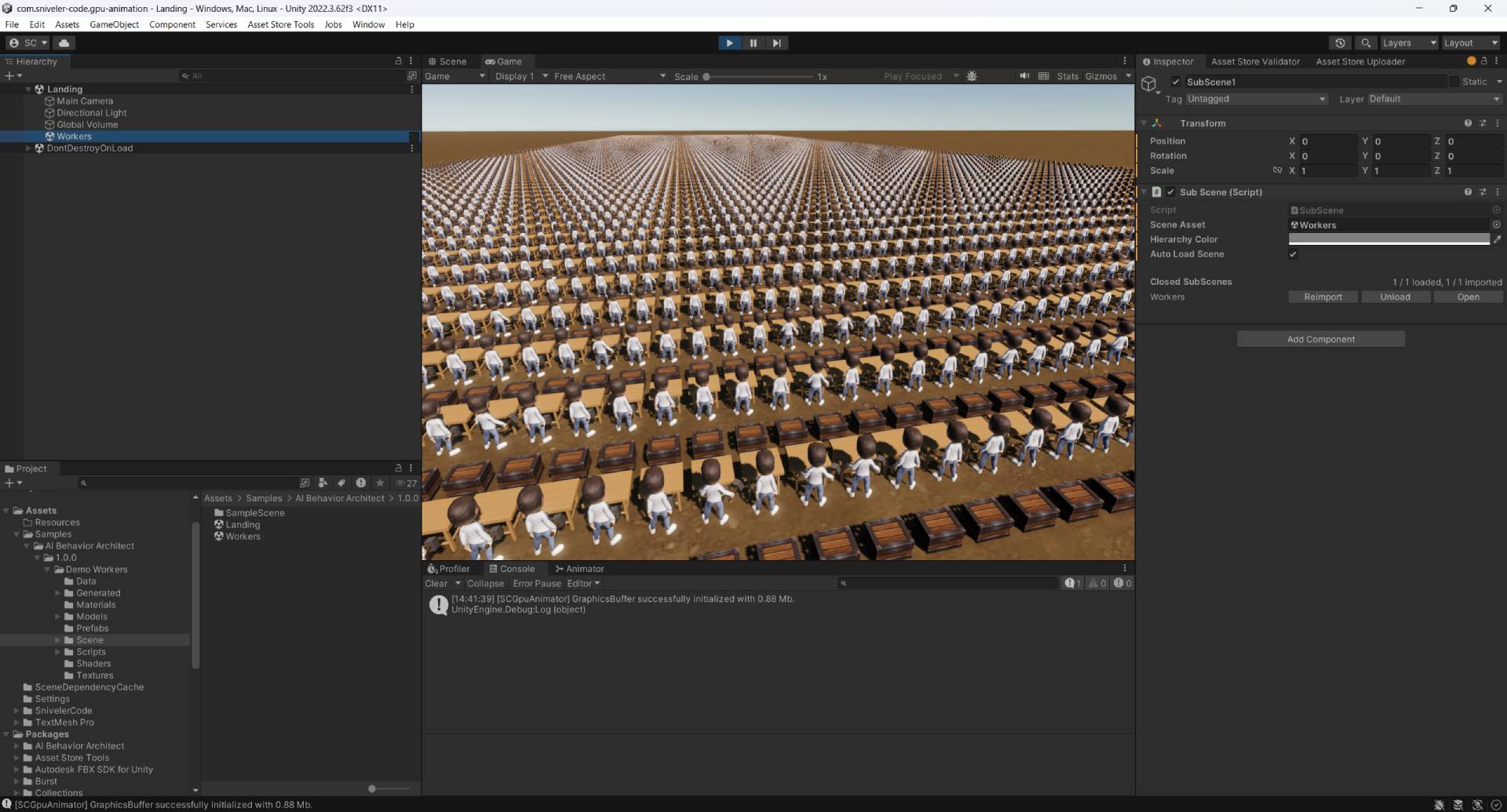
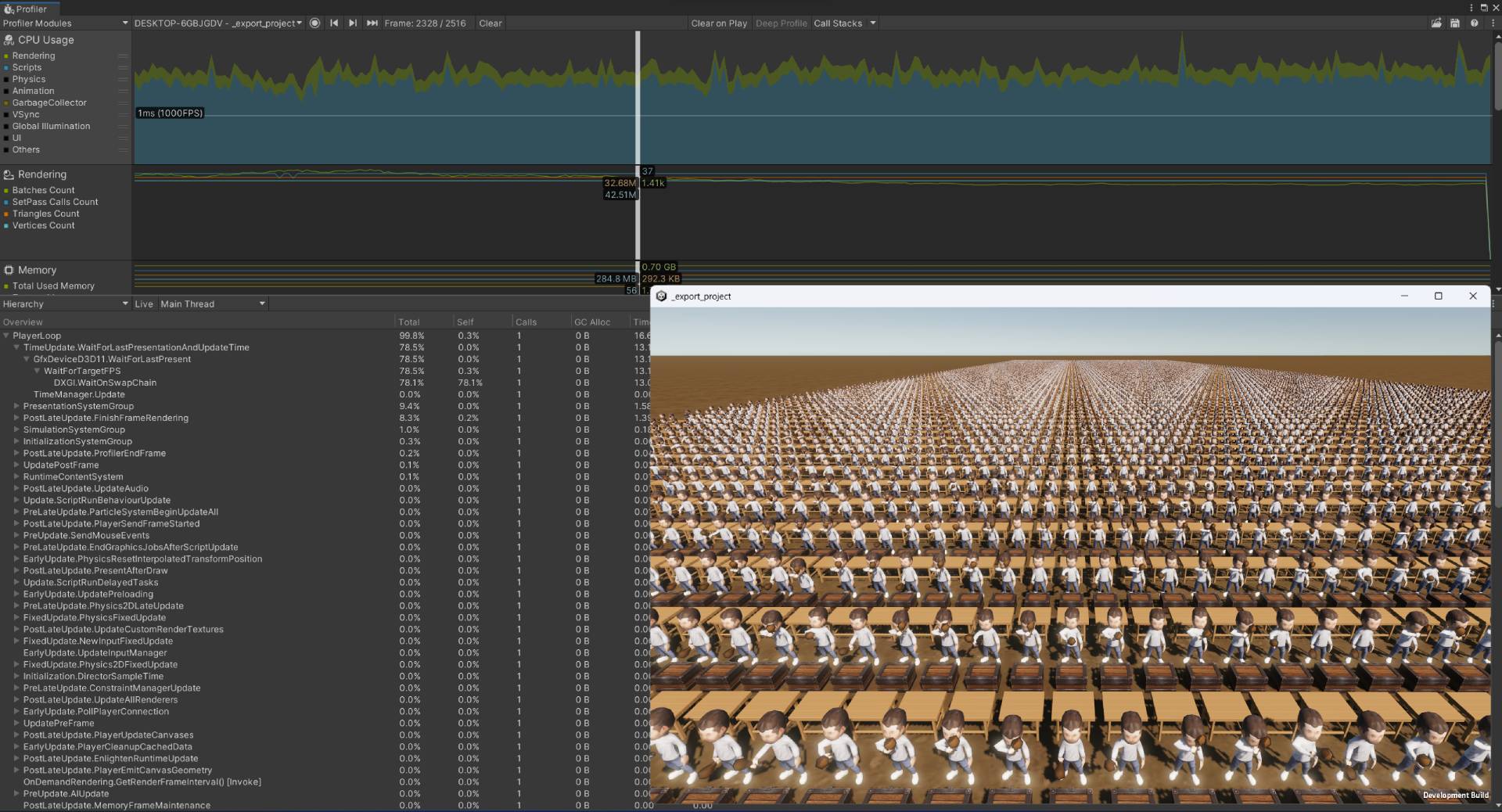
- Demo Workers sample: stress test with thousands of agents running parallel behavior trees
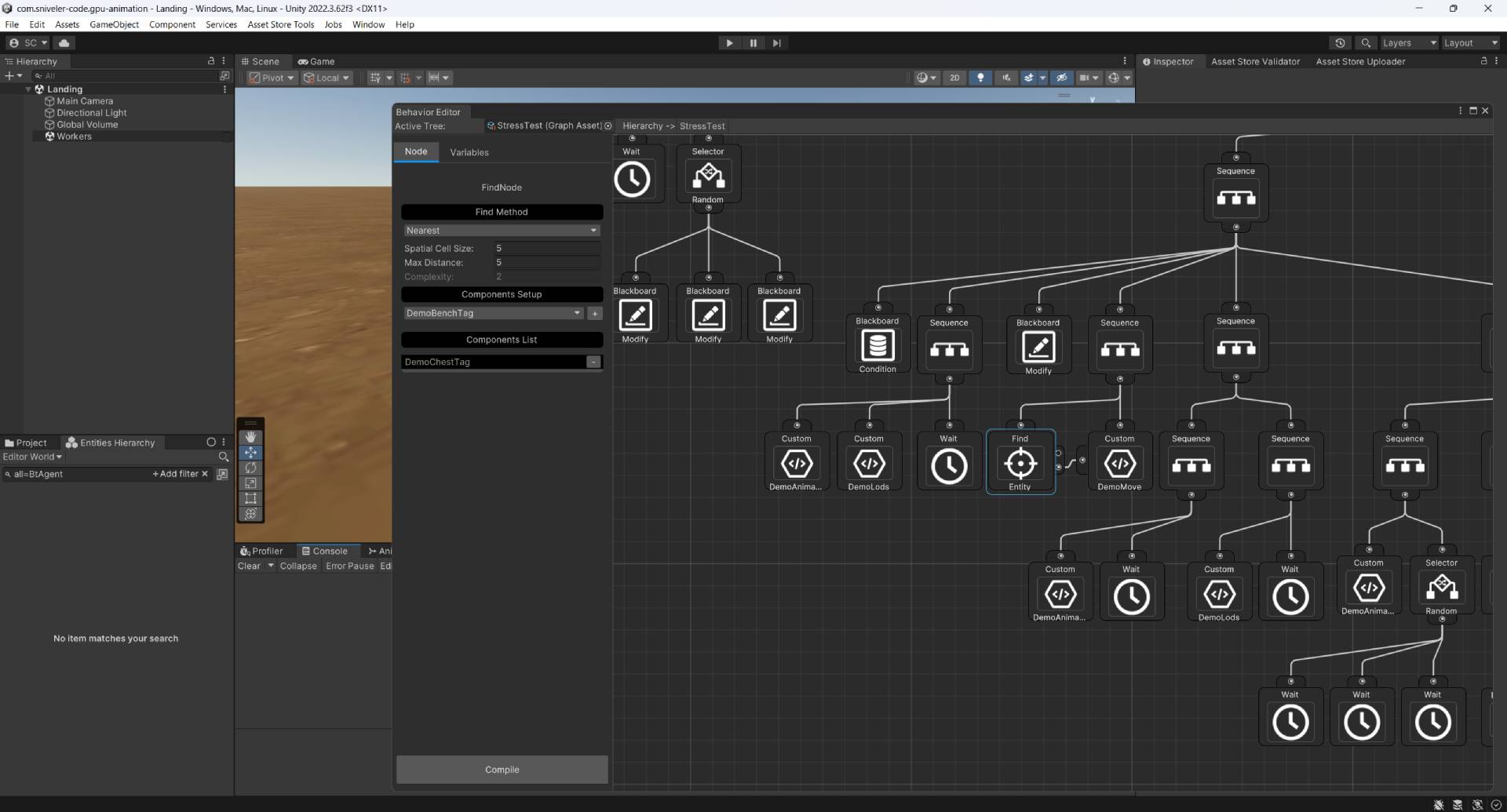
Visual Editor & Blackboard
- Node editor (Unity GraphView) with node search, sub-trees and breadcrumb navigation
- Blackboard: shared Float / Int / Bool variables passed between nodes
- Built-in composites: Sequence, Selector, Parallel (+ Require All/One policy), Random Sequence & Random Selector
- Decorators: Inverter, Repeater, Cooldown, Retry
- Find node: spatial-hash search by distance & components (Nearest / First / Random) → outputs entity ID + position to the Blackboard
- Create Entity / Change Entity nodes: spawn prefabs and add/remove/modify components at runtime, straight from the graph
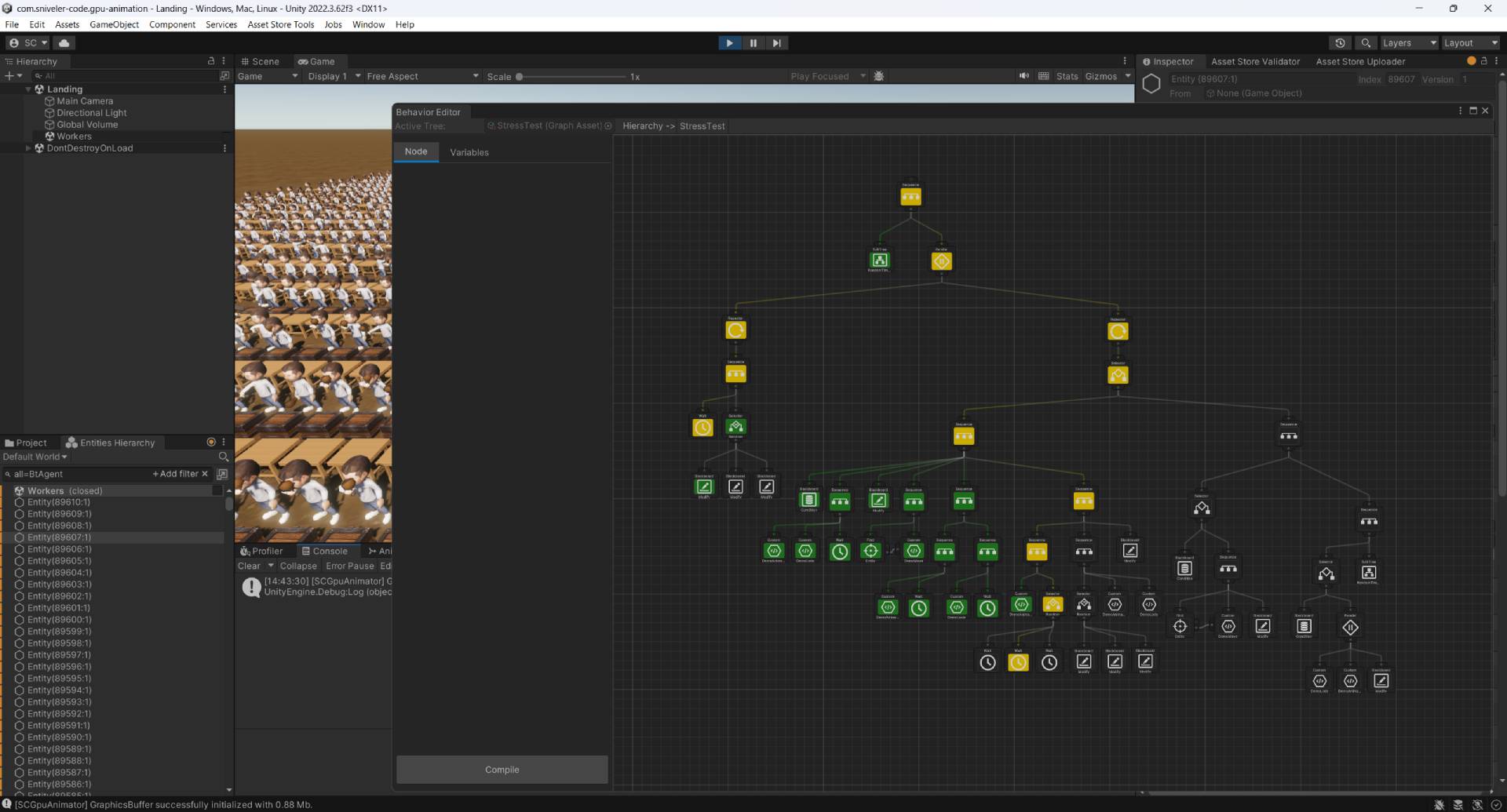
- Runtime tree debugger in the editor
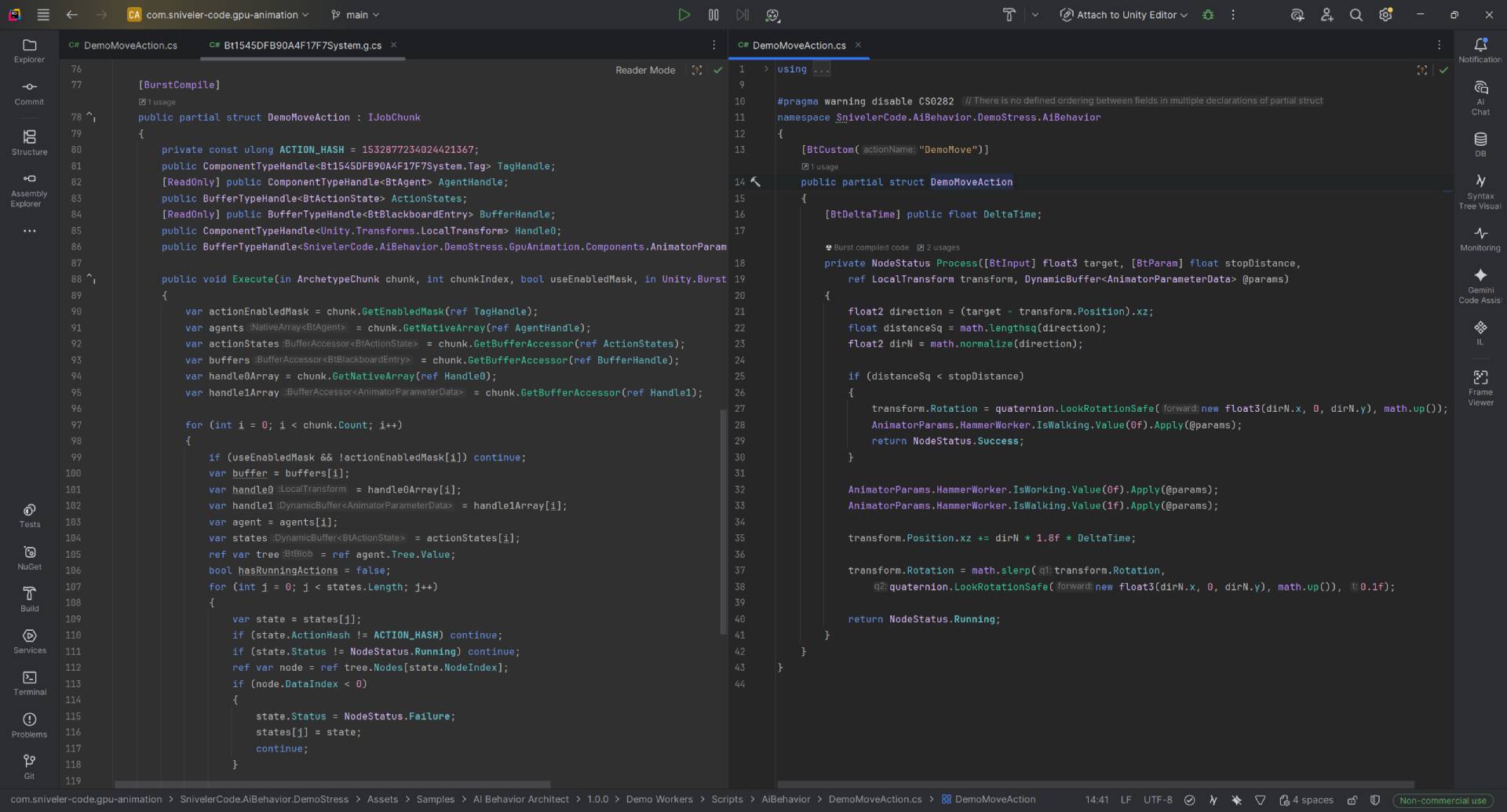
Custom actions — one struct per node
Add your own node with a [BtCustom]-marked partial struct: inputs ([BtInput]), inspector parameters ([BtParam]) and component references are injected automatically into the Burst job.
Requirements
- Unity 2022.3 or higher
- com.unity.entities ≥ 1.4.5 · com.unity.entities.graphics ≥ 1.4.18 · com.unity.burst ≥ 1.8.27 — resolved automatically on import
- Render-pipeline agnostic core: works with Built-in RP, URP and HDRP (the optional Demo Workers sample requires URP 14.0.9+)
Installation
Import the .unitypackage into your project, configure Edit → Project Settings → AI Behavior Architect, then create a graph: right-click in the Project window → Create → Entities → Sniveler Code → AI Graph. Step-by-step setup guide is inside and at the documentation site.
Publisher: sniveler.code · Support: sniveler.code@gmail.com
V1.0.0
Purchase
In order to download this asset pack you must purchase it at or above the minimum price of $69.99 USD. You will get access to the following files:
Development log
Leave a comment
Log in with itch.io to leave a comment.